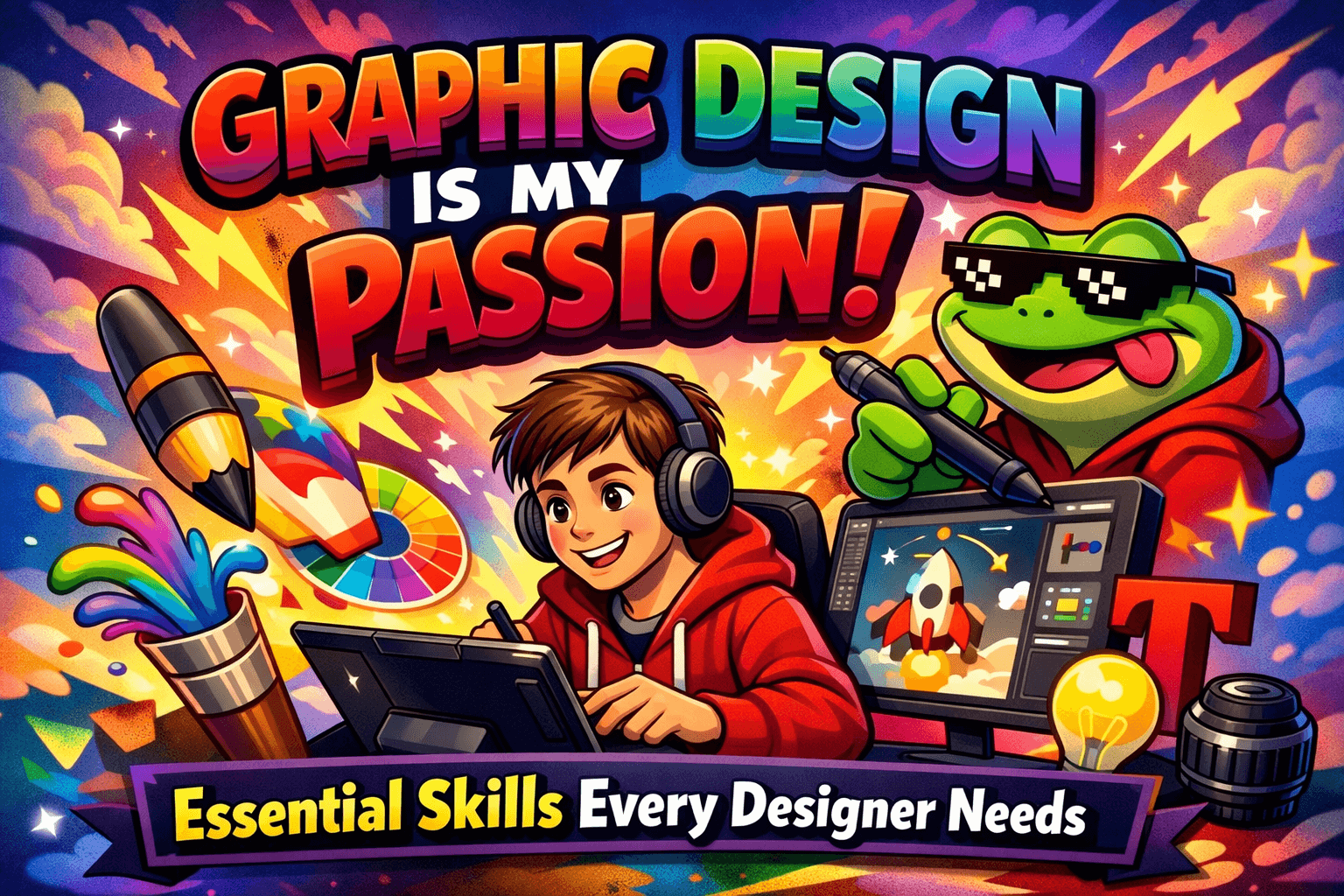
Graphic Design Is My Passion: Essential Skills Every Designer Needs
When someone declares “graphic design is my passion,” they’re not just expressing a casual interest—they’re articulating a profound connection to visual communication that can transform into a rewarding career. This journey from passionate hobbyist to professional designer requires more than enthusiasm; it demands mastery of fundamental skills that separate amateur creators from industry professionals. Whether you’re just starting or looking to elevate your existing abilities, understanding these essential competencies will accelerate your path to success in the dynamic world of graphic design.
In this comprehensive guide, we’ll explore the core skills that every designer needs to master, from typography and color theory to client management and portfolio development. By the end, you’ll have a clear roadmap for turning your passion into professional expertise.
Typography Mastery: The Foundation of Visual Communication
Typography forms the backbone of virtually every design project. Understanding the nuanced difference between typefaces (the design of letters) and fonts (specific variations like weight and style) represents your first step toward typographic excellence.
Hierarchy and readability principles ensure your message reaches audiences effectively. When graphic design is my passion, I recognize that proper hierarchy guides viewers through content naturally, using size, weight, and spacing to establish importance. Primary headlines demand attention, while body text maintains comfortable readability at smaller sizes.
Pairing fonts effectively requires both technical knowledge and artistic intuition. The classic rule suggests combining a serif font for headings with a sans-serif for body text, or vice versa. However, successful designers develop an eye for complementary relationships that enhance rather than compete.
Common typography mistakes to avoid:
- Excessive font mixing (limit yourself to 2-3 typefaces per project)
- Poor kerning and tracking that disrupts readability
- Inadequate line height (leading) causing cramped text blocks
- Using decorative fonts for body text
- Ignoring responsive typography across different screen sizes
For learning typography, explore resources like Typewolf for font pairing inspiration, Butterick’s Practical Typography for comprehensive fundamentals, and Google Fonts for experimenting with free, high-quality typefaces.
Color Theory: Creating Emotional Impact Through Color
Color wields tremendous psychological power in design. The color wheel—comprising primary, secondary, and tertiary colors—provides the foundation for understanding color relationships. Complementary colors (opposites on the wheel) create vibrant contrast, while analogous colors (neighbors) offer harmonious combinations.
The psychology of color in design influences viewer emotions and behaviors profoundly:
| Color | Emotional Association | Common Uses |
|---|---|---|
| Red | Urgency, passion, excitement | Sales, food, entertainment |
| Blue | Trust, stability, calm | Technology, finance, healthcare |
| Green | Growth, health, nature | Environmental, wellness, finance |
| Yellow | Optimism, clarity, warmth | Children’s products, communication |
| Purple | Luxury, creativity, wisdom | Beauty, premium brands |
Creating cohesive color palettes involves selecting a dominant color (60% of design), secondary color (30%), and accent color (10%). This 60-30-10 rule ensures visual balance while maintaining interest.
Accessibility considerations are non-negotiable for professional designers. Maintain minimum contrast ratios of 4.5:1 for normal text and 3:1 for large text (WCAG AA standards). Tools like Coolors, Adobe Color, and Contrast Checker help you build accessible, beautiful palettes that work for all users.
Layout and Composition: Organizing Visual Elements
Effective layout transforms scattered elements into cohesive visual narratives. Grid systems provide invisible structural frameworks that create consistency across designs. From simple two-column layouts to complex modular grids, these systems establish rhythm and proportion.
The Rule of Thirds divides your canvas into nine equal sections using two horizontal and two vertical lines. Positioning key elements along these lines or at their intersections creates naturally balanced, visually appealing compositions. The Golden Ratio (1:1.618) offers a mathematically derived alternative that appears throughout nature and classical art.
White space (negative space) represents one of graphic design’s most powerful tools. It provides visual breathing room, directs attention to important elements, and communicates sophistication. Amateur designers often fear empty space; professionals embrace it strategically.
Balance, alignment, and proximity form the holy trinity of composition:
- Balance: Distributing visual weight evenly (symmetrical) or dynamically (asymmetrical)
- Alignment: Creating invisible connections between elements for unity
- Proximity: Grouping related items while separating unrelated ones
With mobile devices accounting for over 60% of web traffic, responsive design considerations demand flexible layouts that adapt gracefully across screen sizes.
Adobe Creative Suite Proficiency: Industry-Standard Tools
For anyone declaring “graphic design is my passion,” mastering Adobe Creative Suite represents a critical professional milestone. Each application serves distinct purposes:
Photoshop excels at photo editing and manipulation. Essential skills include layer masking, adjustment layers, retouching techniques, compositing, and color correction. Photoshop remains the industry standard for raster image editing.
Illustrator handles vector graphics and logo design. Unlike Photoshop’s pixels, Illustrator creates mathematically defined shapes that scale infinitely without quality loss—perfect for logos, icons, and illustrations. Master the Pen tool, pathfinder operations, and typography tools.
InDesign specializes in multi-page layouts for brochures, magazines, and books. Its powerful master pages, paragraph styles, and table formatting make it indispensable for publication design.
Adobe offers certification programs demonstrating proficiency. However, alternative software options provide viable paths:
- Figma: Collaborative interface design
- Affinity Designer/Photo/Publisher: Affordable Adobe alternatives
- Canva: Accessible platform for beginners and non-designers
Your choice depends on career goals, budget, and project requirements.
Branding and Identity Design: Creating Cohesive Visual Systems
Logo design transcends mere icon creation—it distills brand essence into recognizable symbols. Effective logos demonstrate simplicity, memorability, timelessness, versatility, and appropriateness.
Brand style guides document visual standards ensuring consistency across applications. These comprehensive documents specify:
- Logo usage and spacing requirements
- Color palettes (with Pantone, CMYK, RGB, and HEX values)
- Typography hierarchy and font pairings
- Imagery style and photography guidelines
- Voice, tone, and messaging parameters
Understanding brand voice and personality helps designers translate abstract corporate values into tangible visual expressions. A luxury brand demands elegant restraint while a children’s toy company embraces playful exuberance.
Successful branding creates memorable visual identities that resonate with target audiences while differentiating from competitors. Study case studies from brands like Apple (minimalist innovation), Nike (athletic inspiration), and Mailchimp (approachable creativity) to understand how visual systems support brand positioning.
UI/UX Design Fundamentals: Designing for Digital Experiences
User Interface (UI) design focuses on visual aesthetics—colors, typography, buttons, and layout. User Experience (UX) design encompasses the entire interaction journey, prioritizing usability, accessibility, and user satisfaction. When graphic design is my passion extends to digital products, understanding both disciplines becomes essential.
User-centered design principles place actual user needs ahead of designer preferences or client assumptions. This requires research, testing, and iteration based on real feedback rather than hunches.
Wireframing and prototyping translate concepts into testable formats. Wireframes provide low-fidelity structural blueprints, while prototypes add interactivity for user testing. Tools like Figma, Sketch, and Adobe XD streamline this process.
Usability testing basics reveal friction points before development. Even informal testing with 5-6 users uncovers 80% of usability issues. Observe users completing tasks, noting confusion, hesitation, or errors.
The mobile-first approach prioritizes smallest screens during initial design, progressively enhancing for larger displays. This strategy ensures core functionality survives any screen size while preventing desktop-bloated experiences from overwhelming mobile users.
Print Design vs. Digital Design: Understanding the Differences
Professional designers navigate between print and digital realms seamlessly, recognizing fundamental technical differences:
CMYK vs. RGB color modes represent the most critical distinction. CMYK (Cyan, Magenta, Yellow, Black) mixing creates print colors through ink absorption, while RGB (Red, Green, Blue) light emission generates screen colors. Designs must use appropriate color modes from inception to avoid disappointing color shifts during output.
Resolution requirements differ dramatically. Print demands 300 DPI (dots per inch) for sharp reproduction, while screens typically require only 72 PPI (pixels per inch). Attempting to enlarge low-resolution web images for print produces pixelated disasters.
Bleed, trim, and safe zones prevent awkward white borders when cutting printed materials. Extend background elements 0.125 inches beyond final trim size (bleed), while keeping critical text and graphics 0.125 inches inside final dimensions (safe zone).
File formats serve specific purposes:
- Print: PDF (preferred), TIFF, EPS for vector elements
- Digital: JPEG (photos), PNG (transparency), SVG (scalable vectors), GIF (simple animations)
Understanding these technical requirements prevents costly production errors and ensures designs translate beautifully across mediums.
Creative Problem-Solving: Thinking Like a Designer
Design thinking methodology transforms abstract challenges into concrete solutions through five stages: empathize, define, ideate, prototype, and test. This human-centered approach generates innovative solutions grounded in genuine user needs.
Research and ideation techniques fuel creative exploration. Mind mapping reveals unexpected connections, mood boards establish visual direction, competitive analysis identifies market gaps, and user personas humanize target audiences.
Client brief interpretation requires reading between lines to understand unstated needs and concerns. Clarifying questions prevent misaligned expectations and wasted effort on beautiful solutions addressing wrong problems.
The iterative design process embraces revision as improvement rather than failure. Initial concepts evolve through feedback cycles, each iteration refining and strengthening the final outcome. Professionals budget adequate time for multiple rounds.
Receiving and implementing feedback professionally separates seasoned designers from defensive beginners. Separate personal ego from work product, seek to understand critique reasoning, and distinguish subjective preferences from legitimate concerns requiring attention.
Communication and Client Management Skills
Technical design excellence means little without effective communication skills. Presenting design concepts effectively requires explaining rationale behind decisions rather than simply displaying pretty pictures. Walk clients through problem identification, solution exploration, and how your design addresses specific objectives.
Managing client expectations begins with thorough project scopes defining deliverables, timelines, revision rounds, and responsibilities. Clear documentation prevents scope creep and misunderstandings.
Writing design proposals demonstrates professionalism and clarifies mutual commitments. Include project overview, objectives, deliverables, timeline, pricing, terms, and next steps. Well-written proposals convert inquiries into signed contracts.
Handling revisions professionally means staying solution-focused when clients request changes. Some revisions improve designs, others reflect legitimate business needs you didn’t fully understand initially. Budget 2-3 revision rounds in contracts while establishing clear procedures for additional changes.
Building long-term client relationships generates referrals and repeat business worth far more than individual projects. Deliver quality work on time, communicate proactively, and maintain professionalism even when frustrated. Satisfied clients become your best marketing.
Building Your Portfolio: Showcasing Your Passion
Your portfolio represents your professional reputation distilled into curated projects. When graphic design is my passion drives your work, that enthusiasm should radiate through portfolio presentation.
What to include:
- 8-12 strongest projects demonstrating range and depth
- Real client work when available (with permission)
- Conceptual projects filling experience gaps
- Process documentation showing problem-solving approach
- Clear, compelling case studies explaining context and outcomes
Case study presentation format should include:
- Challenge: What problem needed solving?
- Process: How did you approach it?
- Solution: What did you create?
- Results: What impact did it generate?
Online portfolio platforms comparison:
| Platform | Best For | Pricing | Customization |
|---|---|---|---|
| Behance | Visibility, networking | Free | Limited |
| Adobe Portfolio | Adobe users | Included with CC | Moderate |
| Squarespace | Custom branding | $16-46/month | High |
| Cargo | Minimalist aesthetics | $13-39/month | High |
| Dribbble | UI/UX designers | $5-25/month | Moderate |
Personal branding for designers extends beyond logos. Your visual identity, communication style, and market positioning should reflect your unique value proposition. What makes you different from thousands of other designers?
Updating and maintaining your portfolio requires ongoing attention. Replace weaker projects as skills improve, add recent work demonstrating current capabilities, and refresh outdated examples that no longer represent your abilities.
Continuous Learning: Staying Current in Graphic Design
Design trends evolve constantly, creating tension between timeless principles and contemporary relevance. Following design trends keeps work feeling fresh, but trendy effects date quickly. Balance involves understanding current aesthetics while grounding work in enduring fundamentals.
Recommended resources:
- Blogs: Smashing Magazine, Creative Bloq, Design Milk, AIGA Eye on Design
- Podcasts: 99% Invisible, The Futur, Design Matters with Debbie Millman
- YouTube Channels: The Futur, Will Paterson, Satori Graphics
Online courses and certification programs accelerate skill development. Platforms like Skillshare, Coursera, LinkedIn Learning, and Domestika offer structured learning paths covering specialized topics from hand lettering to motion design.
Design communities and networking combat isolation while providing feedback, opportunities, and inspiration. Join local AIGA chapters, participate in Dribbble or Behance communities, attend design conferences, and engage with designers on social media.
Developing your unique design style happens through experimentation and reflection. Notice which projects energize you, identify recurring visual preferences, and deliberately cultivate distinctive approaches that make your work immediately recognizable.
Conclusion: Turning Passion Into Professional Success
Declaring “graphic design is my passion” marks just the beginning of an exciting journey. True professional success requires systematically developing the essential skills outlined throughout this guide—from typography mastery and color theory to client management and continuous learning.
Your personalized learning path depends on current abilities and career goals. Beginners should prioritize fundamental skills (typography, color, composition) and software proficiency before advancing to specializations like branding or UI/UX design. Intermediate designers benefit from deepening expertise in specific areas while expanding professional skills.
Next steps for aspiring designers:
- Assess current skill levels honestly using the categories above
- Identify 2-3 priority areas for immediate development
- Create specific, measurable learning goals with deadlines
- Build or refresh your portfolio with projects demonstrating growth
- Connect with design communities for feedback and opportunities
- Apply skills through freelance projects or volunteer work
Remember that even the most accomplished designers continue learning throughout their careers. Technology evolves, aesthetics shift, and new challenges emerge constantly. Your passion for graphic design provides the fuel; disciplined skill development provides the vehicle for reaching professional destinations.
The path from passion to profession isn’t always linear or easy, but for those committed to excellence, graphic design offers endless opportunities for creative expression, problem-solving, and meaningful impact. Your unique visual voice deserves development—now you have the roadmap for cultivating it.
Frequently Asked Questions
How long does it take to become a professional graphic designer?
The timeline varies significantly based on starting point, learning intensity, and career goals. Self-taught designers dedicating 20+ hours weekly can develop professional competency within 1-2 years. Formal education (bachelor’s degree) typically requires 4 years but provides structured learning and networking. Many designers begin accepting paid work within 6-12 months while continuing to develop skills. Remember that “professional” represents a moving target—growth continues throughout your career.
Do I need a degree to succeed in graphic design?
No formal degree is strictly necessary, especially for freelance or self-employment. Many successful designers are entirely self-taught, learning through online courses, tutorials, and practice. However, degrees offer advantages including structured curriculum, mentorship, peer feedback, and employer credibility. Large agencies and corporations often prefer or require degrees. Your portfolio ultimately matters more than credentials—exceptional work opens doors regardless of educational background.
What software should beginners learn first?
Start with one versatile program rather than trying to master everything simultaneously. Adobe Illustrator represents the best foundation for beginners, teaching vector graphics principles applicable across design disciplines. Alternatively, Figma offers free, accessible entry into digital design with collaborative features. Once comfortable with one program, expand to Photoshop for photo editing and InDesign for layout work. Focus on design principles over software features—tools change, but fundamental skills remain valuable.
How do I find my first graphic design clients?
Begin with your existing network—friends, family, former colleagues, and local businesses often need design help. Offer services at reduced rates while building your portfolio and testimonials. Freelance platforms like Upwork, Fiverr, and 99designs provide project opportunities despite competitive pricing. Join local business networking groups, volunteer for nonprofit organizations, and leverage social media to showcase work. Cold outreach to businesses with poor branding can generate opportunities. Each project builds credibility for attracting better clients.
What’s the difference between a graphic designer and an illustrator?
Graphic designers solve communication problems through visual organization, combining typography, imagery, and color to convey messages effectively. They work across diverse mediums creating logos, layouts, advertisements, and branding systems. Illustrators create original artwork—drawings, paintings, digital art—often working editorially, commercially, or creatively. While overlap exists (many designers illustrate; many illustrators handle design), illustrators focus on image creation while designers focus on visual problem-solving and communication. Many professionals develop both skill sets for creative versatility.
How much should I charge for graphic design work?
Pricing depends on experience, specialization, market, and project complexity. Beginners might charge $25-50/hour or $200-500 per logo while experienced designers command $75-200/hour or $1,500-10,000+ per logo. Research local market rates, calculate business expenses plus desired income, and consider value-based pricing for projects generating significant client revenue. Many designers start hourly, transition to project-based pricing with experience, then adopt value-based models for strategic work. Raise rates gradually as skills, efficiency, and demand increase.
Is graphic design a good career in 2025?
Graphic design remains viable and growing, though evolving. The U.S. Bureau of Labor Statistics projects steady demand through 2030, with strongest opportunities in digital design, UI/UX, and motion graphics. AI tools handle routine tasks but require designer oversight and creative direction. Successful designers combine technical skills with strategic thinking, understanding business objectives and user needs. Specialization in high-demand areas (UX design, branding strategy, motion design) provides competitive advantages. Remote work opportunities expand geographic possibilities beyond local markets.
How can I improve my design skills faster?
Deliberate practice accelerates improvement more than passive consumption. Daily design challenges (like Daily UI or 36 Days of Type) build consistency and portfolio content. Recreate designs you admire to understand construction decisions. Seek feedback from experienced designers and implement suggestions. Study design theory systematically rather than randomly browsing inspiration. Specialize temporarily in one area until achieving competency before expanding. Teach concepts to others—explaining solidifies understanding. Track progress through portfolio comparison to recognize growth and identify persistent weaknesses requiring attention.