
15 Best Graphic Design Tools Every Designer Should Use in 2025graphic design tools
Introduction:
In the fast-evolving creative industry, having the right graphic design tools can make all the difference between good and exceptional work. Whether you’re a seasoned professional or just starting your design journey, 2025 brings a new wave of innovative software to enhance creativity, efficiency, and collaboration. From advanced AI-powered platforms to timeless design classics, this list highlights the 15 best graphic design tools every designer should use to stay ahead in the digital landscape.
What Are Graphic Design Tools?
Graphic design tools are software applications, online platforms, or mobile apps that allow designers to create, edit, and enhance visual content. These tools are essential for producing everything from logos and social media graphics to websites, posters, and product packaging.
In simple terms, graphic design tools help transform creative ideas into professional visuals. Whether you’re sketching a logo, designing a banner, or building a brand identity, these tools provide the digital canvas and features needed to bring your vision to life.
There are different types of graphic design tools, each serving a unique purpose:
- Raster-based tools (like Adobe Photoshop or GIMP) are used for editing photos and pixel-based images.
- Vector-based tools (such as Adobe Illustrator or Inkscape) are ideal for creating scalable graphics like icons and logos.
- Layout and publishing tools (like Adobe InDesign or Canva) help design marketing materials, brochures, and social media posts.
- UI/UX design tools (such as Figma or Sketch) are tailored for web and app interface design.
How to Choose the Right Graphic Design Tool
Choosing the right graphic design tool can make a big difference in your creative workflow and the quality of your work. With so many options available—ranging from simple online editors to advanced professional software—it’s important to find the one that fits your goals, skill level, and budget.
Here are key factors to consider when selecting the best graphic design tools for your needs:
1. Define Your Purpose
Start by identifying what kind of design work you’ll be doing.
- If you focus on photo editing, tools like Adobe Photoshop or Pixlr are great options.
- For logo and vector design, Adobe Illustrator or Inkscape work best.
- For social media content or marketing materials, Canva or VistaCreate are beginner-friendly choices.
Knowing your purpose helps you narrow down the list of tools that align with your creative projects.
2. Check the Features
Different graphic design tools offer different capabilities. Look for key features such as:
- Layer management and editing options
- Templates and pre-made design assets
- Collaboration tools (useful for teams)
- AI-powered design assistance
- Integration with other platforms (like stock photo libraries or cloud storage)
3. Consider Ease of Use
If you’re a beginner, choose a tool with a simple interface and built-in tutorials. Canva and Figma, for example, are intuitive and don’t require extensive training. Advanced users, on the other hand, might prefer software with more control and customization options, like Adobe or Affinity products.
4. Evaluate Pricing and Plans
Some graphic design tools are free with limited features, while others offer subscriptions or one-time purchases. Consider your budget and how often you’ll use the tool. Free options like GIMP or Inkscape can be great starting points for beginners.
5. Platform Compatibility
Before committing, check if the tool works on your device. Some design tools are web-based (like Figma or Canva), while others are desktop-only (like Sketch for Mac). Choose one that suits your hardware and workflow.
6. Test Before You Commit
Most professional graphic design tools offer free trials. Use that time to explore features, test performance, and see if the interface matches your comfort level.
Best Graphic Design Tools in 2025
The world of design is constantly evolving, and so are the graphic design tools professionals use to bring ideas to life. Whether you’re creating logos, social media graphics, or full-scale branding projects, having the right tools can make your creative process faster and more effective.
Here’s a look at the best graphic design tools in 2025 — each offering unique features for beginners and professionals alike.
1. Adobe Photoshop
Still the industry leader, Adobe Photoshop remains one of the most powerful graphic design tools for editing photos, creating digital art, and designing web graphics. It’s known for its advanced layer system, AI-powered tools like Generative Fill, and wide range of brushes and filters.
Best for: Photo editing, digital painting, and advanced image manipulation.
2. Canva
Canva is one of the most popular online graphic design tools, perfect for beginners, small business owners, and marketers. With thousands of templates and an intuitive drag-and-drop interface, Canva makes it easy to create professional designs in minutes.
Best for: Social media graphics, presentations, and marketing materials.
3. Adobe Illustrator
For logo design, vector graphics, and illustrations, Adobe Illustrator remains unbeatable. Its precision and scalability make it ideal for branding and print design.
Best for: Vector artwork, logo design, and typography.
4. Figma
Figma has become the go-to tool for UI/UX designers. It’s cloud-based, allowing teams to collaborate in real time. In 2025, new AI-assisted design features make Figma even more powerful for interface design and prototyping.
Best for: UI/UX design, wireframing, and collaboration.
5. CorelDRAW
A classic alternative to Adobe Illustrator, CorelDRAW is one of the most reliable graphic design tools for print and vector design. It offers strong layout features and excellent color control for professional designers.
Best for: Print design, vector illustrations, and branding.
6. Sketch
Sketch remains a top choice among Mac users for creating web and app interfaces. It’s simple, fast, and packed with plug-ins that extend its capabilities.
Best for: UI design and prototyping (Mac users).
7. Affinity Designer
Affordable and powerful, Affinity Designer offers professional-grade features without a subscription. It’s ideal for both raster and vector design, making it a versatile choice for freelancers and small studios.
Best for: Logo design, illustrations, and branding projects.
8. Procreate
Procreate is a favorite among digital artists and illustrators using iPads. Its natural brush strokes, pressure sensitivity, and intuitive controls make it one of the most creative graphic design tools in 2025.
Best for: Digital illustration and hand-drawn artwork.
9. Inkscape
For those who prefer free and open-source software, Inkscape is a top-tier vector design tool. It offers many features similar to Illustrator, making it perfect for designers on a budget.
Best for: Vector graphics and logo creation.
10. Blender
Though primarily a 3D software, Blender is increasingly used by designers for motion graphics and 3D visualizations. In 2025, its real-time rendering capabilities make it a standout tool in the design space.
Best for: 3D design, animation, and motion graphics.
Other Notable Mentions
- GIMP: Free photo editing software similar to Photoshop.
- Pixlr: Lightweight browser-based design tool.
- VistaCreate: Great for quick social media designs and templates.
- Gravit Designer: Cloud-based and versatile for basic projects.
Free vs Paid Graphic Design Tools
When it comes to choosing the right graphic design tools, one of the biggest decisions is whether to use free or paid software. Both options have advantages and limitations, depending on your experience level, budget, and creative needs. Understanding the difference can help you make a smarter choice and get the most out of your design workflow.
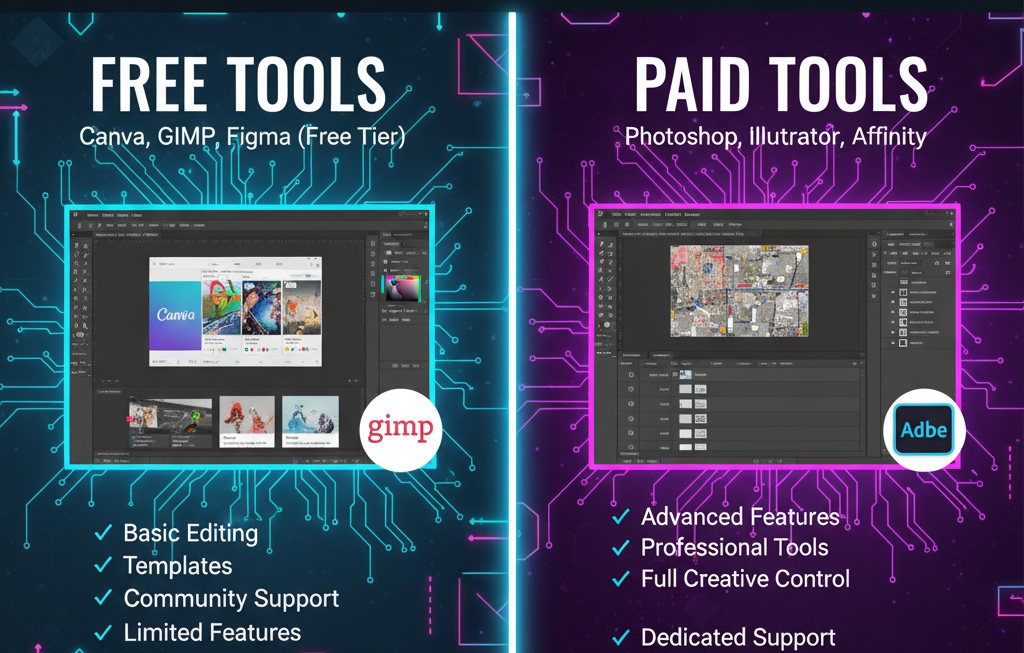
Free Graphic Design Tools
Free graphic design tools are perfect for beginners, students, and anyone who wants to explore design without spending money. Many free tools are web-based, easy to use, and come with pre-made templates for quick projects.
Advantages:
- Cost-effective — ideal for learning and small projects.
- Easy to access online, no installations required.
- Great for basic editing, social media posts, and simple designs.
Limitations:
- Limited features compared to premium software.
- Fewer customization options and templates.
- Some tools may include watermarks or ads.
Popular free graphic design tools in 2025:
- Canva Free – Easy drag-and-drop interface with thousands of templates.
- GIMP – Open-source alternative to Photoshop.
- Inkscape – Great for vector graphics and logo design.
- Pixlr – Browser-based photo editor for quick fixes.
Free tools are an excellent choice for beginners or those working on smaller creative projects.
Paid Graphic Design Tools
Paid graphic design tools offer advanced features, higher-quality exports, and professional support. They’re designed for serious designers, marketing teams, and creative agencies who need full control and precision in their work.
Advantages:
- Access to professional-grade features and plugins.
- High-quality output suitable for print and web.
- Regular updates, AI tools, and customer support.
- Better collaboration and storage options.
Limitations:
- Subscription or one-time purchase costs.
- Some have steeper learning curves.
Popular paid graphic design tools in 2025:
- Adobe Photoshop – Industry leader for image editing.
- Adobe Illustrator – Best for vector and logo design.
- Affinity Designer – One-time purchase, excellent for pros.
- CorelDRAW – Reliable choice for print and branding.
- Figma Pro – Ideal for collaborative UI/UX design teams.
If design is part of your career or business, investing in a paid tool usually pays off through better performance and more creative freedom.
Which One Should You Choose?
If you’re just starting, begin with free graphic design tools to learn the basics and develop your style. Once you outgrow their limitations, upgrading to paid graphic design tools will give you more flexibility and professional capabilities.
The best approach? Use a mix. Many designers use Canva for quick content creation and Photoshop or Illustrator for high-end projects.
Why the Right Tool Matters for Designers
Choosing the right graphic design tools isn’t just about convenience — it’s about unlocking creativity, saving time, and producing high-quality work. The tools you use can directly influence your design style, workflow efficiency, and even how professional your final results look.
1. Enhances Creativity
Good graphic design tools provide flexibility, features, and resources that inspire creativity. From customizable templates to brush libraries and color palettes, the right software helps designers experiment freely and turn ideas into visual masterpieces.
When your tools feel intuitive, creativity flows naturally.
2. Improves Productivity
The best graphic design tools streamline your workflow with features like drag-and-drop design, AI automation, and cloud collaboration. Instead of spending hours on manual edits, you can focus on the creative aspects that truly matter.
Fast, efficient tools mean you can complete more projects without sacrificing quality.
3. Delivers Professional Results
Design clients and employers expect polished, high-resolution results. Professional graphic design tools like Adobe Illustrator or Affinity Designer ensure precision, accurate color control, and clean vector output suitable for print and digital use.
The right software ensures your designs meet professional standards every time.
4. Encourages Consistency and Branding
For businesses and freelancers, consistent branding is key. Graphic design tools with brand kits, color libraries, and typography management make it easier to maintain uniform visual identity across multiple projects — from logos to social media graphics.
5. Adapts to Your Career Growth
As you advance in your design journey, your toolset should evolve with you. Beginners may start with free tools like Canva or GIMP, but as skills grow, moving to advanced software such as Photoshop or Figma becomes essential. The right tools scale with your creativity and career.
FAQs About Graphic Design Tools
If you’re new to design or exploring the latest graphic design tools, you probably have a few questions. Below are some of the most common FAQs that can help you choose the right tool and get started with confidence.
1. What are graphic design tools used for?
Graphic design tools are used to create, edit, and enhance visual content such as logos, posters, social media graphics, and websites. They help designers turn creative ideas into professional visuals by providing templates, design elements, and editing features.
2. What is the best graphic design tool for beginners?
For beginners, Canva is one of the easiest graphic design tools to learn. It offers drag-and-drop functionality, pre-made templates, and a free version with plenty of features. Other beginner-friendly options include Pixlr, VistaCreate, and Fotor.
3. Which graphic design tools do professionals use?
Professional designers typically use Adobe Photoshop, Adobe Illustrator, and Figma for advanced design and collaboration. Affinity Designer and CorelDRAW are also popular among professionals who prefer one-time payment software.
4. Are there free graphic design tools available?
Yes! There are many powerful free graphic design tools such as GIMP, Inkscape, and Canva Free. These tools offer enough features for beginners and small projects, though paid versions often unlock advanced options and higher-quality exports.
5. What’s the difference between vector and raster graphic design tools?
- Vector tools (like Adobe Illustrator or Inkscape) create designs using mathematical paths, which means your graphics can be scaled to any size without losing quality — perfect for logos and illustrations.
- Raster tools (like Photoshop or GIMP) use pixels, making them ideal for photo editing and digital painting.
6. Can I use graphic design tools on my phone or tablet?
Absolutely. Many modern graphic design tools such as Canva, Procreate, and Adobe Express offer mobile apps. These are great for designing on the go, especially for social media graphics or quick edits.
7. How do I choose the best graphic design tool for my needs?
Consider your goals, budget, and experience level. Start with a free tool if you’re new, or invest in professional graphic design tools if you work with clients or on commercial projects. Always test trial versions before making a decision.
8. Are AI-powered graphic design tools worth it?
Yes — many graphic design tools now include AI features that speed up your workflow. Tools like Adobe Photoshop (with Firefly) and Canva’s Magic Studio can automatically remove backgrounds, suggest color palettes, and generate design layouts, saving valuable time.
Conclusion:
Choosing the right graphic design tools in 2025 is all about finding the perfect balance between creativity, functionality, and innovation. With so many powerful options available—from AI-assisted editors to professional-grade software—designers now have endless possibilities to bring their ideas to life. Whether you focus on branding, illustration, UI/UX, or motion graphics, investing time in mastering the best tools will elevate both your workflow and the quality of your designs. Stay curious, keep experimenting, and let these top 15 graphic design tools inspire your next creative breakthrough.